Here's what teams who create training and documentation actually need

Nibu Thomas

The AI video editing market has a problem it doesn't talk about. Billions of dollars have been invested in tools that make video look better for the wrong audience. The assumption baked into almost every AI video editor launched in the last three years is that the person using it cares about aesthetics first. I’m talking about the color grade, the transitions, the AI-generated B-roll that fills the silence, and so on. That assumption works perfectly for content creators, marketers producing brand films, and agencies editing highlight reels.
It fails completely for the people who spend their professional lives recording workflows, documenting procedures, and building training content at scale.
If you're an L&D manager trying to get updated training out before the next product release, a technical writer racing to document a sprint before the team moves on, or a VP of Product trying to ship consistent content across a dozen global markets simultaneously, the AI video editor category, as it currently exists, was not built for you.
By the end of this article, you'll understand why. You’ll also understand what a tool designed for your workflow actually looks like.
Recording is the easy part
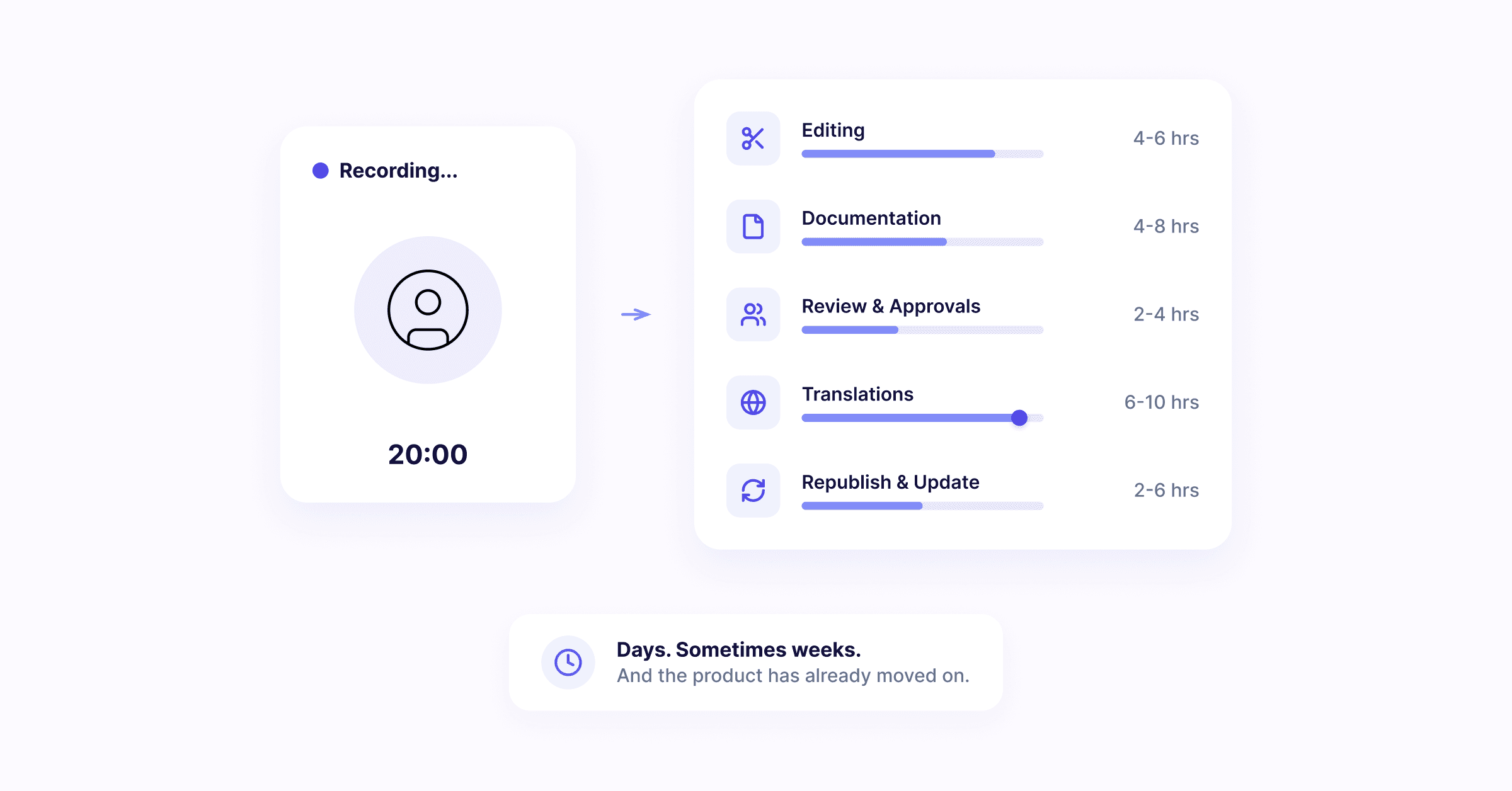
Here is the uncomfortable truth about documentation and training workflows: the recording takes twenty minutes. Everything that comes after the recording takes days. Sometimes weeks!
You finish capturing the workflow. The screen recording is clean, the steps are visible, the script is done. Then the real work begins. Someone has to put it all together. Someone has to structure it into the correct format. Someone has to push it through review. Someone has to translate it for the teams in Singapore, Germany, and Brazil. And someone else has to also write the accompanying documentation.
And if the product changes next sprint, which it will, the whole cycle starts again.
The three people who feel this most acutely work in different roles but share the same fundamental frustration.
The L&D Manager sits on a library of training videos that are perpetually one product update behind. Every quarter, the release cycle demands new content, and every quarter, the editing backlog grows faster than the team can clear it. The video part is manageable. The documentation, the translation, the republishing, that's where the calendar disappears.
The Technical Writer has developed an elaborate two-step process out of necessity: record the workflow first, then open a separate document and write the procedure from scratch. The recording and the documentation live in completely different tools, requiring entirely separate efforts to produce. Both have to be maintained independently whenever something changes.
The VP of Product or PMM is staring at a launch date and thirteen regional markets, each of which needs localized training and documentation content. The bottleneck is never the strategy. It's always the production: the time it takes to turn one recording session into published, translated, market-ready content.
General-purpose AI video editors have not solved this. They've made the video look better. They haven't reduced the distance between a screen recording and a finished, published documentation workflow by a single step. They were built to answer a different question entirely.
The category was designed for a different job
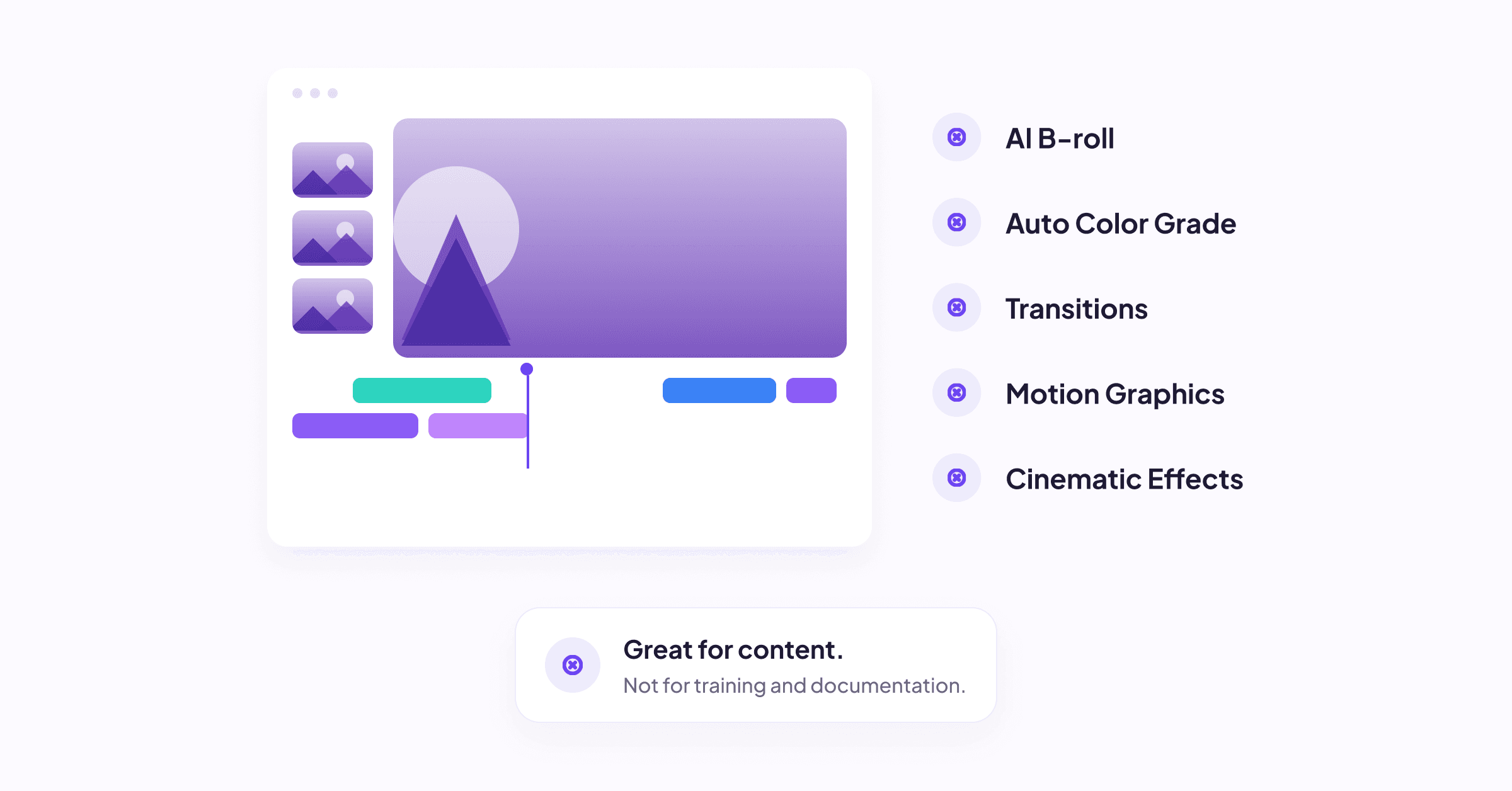
There is nothing wrong with the leading AI video editors. CapCut, Adobe Premiere, RunwayML, these are all genuinely impressive tools. The problem is structural, not cosmetic. They were built for creative professionals whose primary output is the video itself. Color grading, motion graphics, generative B-roll, seamless scene transitions. All these are exactly the right features if you're producing a brand campaign or a documentary short.
They are entirely the wrong features if your output is a published SOP that a new hire in four countries needs to follow on their first day.
Think about what a training video or documentation walkthrough actually requires. It requires the steps to be clearly captured. It requires those steps to be described, structured, and searchable. It requires the content to exist in formats that a CMS can ingest, a translation team can process, and a compliance auditor can verify. It requires all of this to happen fast, because the product has already moved on!
Nobody in this workflow needs AI-generated B-roll of a sunset. Nobody needs an auto-color grade. Nobody needs a cinematic transition between step four and step five of the expense reporting procedure.
What they need is for the moment the recording ends to be the moment the documentation begins, automatically, structurally, without a second tool, without a second person, without a second day.
That's not a feature that AI video editors have added and forgotten to market. It's a fundamental design decision they were never asked to make.
What a documentation-first AI video editor actually does
Before naming the solution, it helps to describe the category that should exist.
There should be a tool that understands the relationship between showing and knowing. Humans learn faster from visual demonstrations than from flat text. This isn't a content preference, it's how cognition works. A tool built for training and documentation workflows should start from that principle: make it effortless to create content visually, and let the structured text emerge from that process, not the other way around
And that tool is Zenious.
From recording to documentation, simultaneously. When you record a workflow in Zenious, the documentation doesn't wait. As the recording processes, Zenious generates the accompanying text content automatically, blogs, step-by-step procedures, troubleshooting articles, or conceptual overviews, depending on what the content requires. A technical writer who used to spend an afternoon writing up a procedure from a twenty-minute recording now has a draft the moment the recording ends. The two-step process collapses into one.
Enterprise-ready output, without the export headache. The documentation Zenious produces isn't a rough transcript. It's structured, DITA-compliant content available in multiple formats that feed directly into your CMS. For technical writers working in regulated industries or enterprise environments where structured authoring standards are non-negotiable, this isn't a convenience. It's the difference between a usable output and one that requires hours of reformatting before it can be published.
Translation in 100+ languages, in sync with the video. When a product update rolls out globally, Zenious doesn't create a translation bottleneck. The translated version, video and text, synchronized, is produced automatically across more than 100 languages. The L&D manager whose quarterly update used to require a separate localization workstream now ships all versions simultaneously. No additional vendors, no separate timeline, no version drift between the English original and the French or Japanese release.
Video output that's ready to use. Most recordings processed through Zenious are publish-ready without any further editing. For teams who want finer control — a specific cut, a timing adjustment — those controls are available. But the default assumption is that your time is better spent on the next piece of content than on polishing the last one.
What used to take a skilled documentation team several days — record, write, structure, translate, format, publish — now happens in a single session.

Your next recording could be your last manual documentation session.
Three workflows, one tool
The L&D Manager
It's the third week of the quarter, and the product team has just shipped fifteen UI changes that affect six existing training modules. Previously, each module meant a re-recording session, a re-edit, a rewrite of the accompanying guide, and a wait on the translation team. With Zenious, each re-recording automatically regenerates the documentation and the translated versions - the module is updated and republished the same day the change is confirmed.
The Technical Writer
A sprint wraps on Friday afternoon and three new features need to be documented before Monday's customer comms go out. Instead of spending the weekend writing procedures from scratch based on a recording she has to keep pausing and rewinding, she records each feature once in Zenious. By the time she's recorded the third feature, the documentation for the first two is already structured and waiting for her review.
The VP of Product / PMM
Launch day is in 72 hours. Product content needs to reach customer-facing teams in the UK, Germany, Brazil, Japan, and eight other markets, all with localised training videos and documentation. In the previous cycle, this took a two-week post-launch localisation sprint that left regional teams working from outdated materials at go-live. This cycle, the translated content ships simultaneously with the English version, on the day.
How it compares to tools you already know
Loom is excellent for what it was designed to do: async communication. A quick walkthrough for a colleague, a recorded standup, a feedback video for a design review. Loom captures and shares fast. What it doesn't do is turn that recording into structured documentation, translate it into twelve languages, or produce an output your CMS can ingest. It was built for communication, not for documentation workflow.
Camtasia has been the standard tool for training video production for a reason it's reliable, full-featured, and deeply familiar to anyone who has worked in corporate L&D for more than a few years. It was also built before AI fundamentally changed what's possible in documentation workflows. Camtasia edits video well. It doesn't generate documentation, it doesn't translate automatically, and it doesn't reduce the gap between a recording session and a published knowledge asset. [LINK: Camtasia battle card link]
Scribe solves one specific problem elegantly: it captures click-by-click workflows and turns them into step-by-step guides. For lightweight process documentation, it's fast and effective. It captures clicks, not video, so there's no rich walkthrough layer, no narrated demonstration, no video output. And there's no translation support for global teams.[LINK: Scribe battle card]
Zenious is the only tool in this category designed to produce the video, the documentation, and the translation in a single workflow. The others are good at parts of the job. Zenious was built for the whole job.
That distinction matters most when you accept the article's opening premise: for training and documentation teams, the video has never been the bottleneck. Everything that had to happen after the video was.
The tool you've been building workarounds around
This article opened with a claim: the AI video editor category was built for the wrong job. That's still true. But it's only a problem if you keep reaching for those tools when your actual job is documentation, training, and knowledge transfer at scale.
Six months from now, if the workflow stays the same, the backlog stays the same. Every product update triggers the same documentation sprint, the same translation delay, the same gap between what your teams know and what your content says. The tool isn't going to change the workflow. It's going to keep optimising for aesthetics you don't need.
Six months from now with Zenious, your recording sessions produce finished content. Your documentation ships the same day as the product change. Your global teams aren't waiting three weeks for a localised version of something that was already recorded.
Don't try Zenious because we say it’s better. Try it because the next time you record something, you could ship the documentation on the same day.
Frequently asked questions
What is the best AI video editor for training videos?
The best AI video editor for training videos depends on whether your output is the video itself or the documentation around it. For teams whose goal is to produce structured training content, procedures, and knowledge assets, not just a polished video file, Zenious is designed specifically for that workflow, combining screen recording, automatic documentation generation, and multilingual translation in one tool.
Can an AI video editor generate documentation automatically?
Most AI video editors cannot. They're designed to improve the visual quality of video, not to generate structured text content from it. Zenious is built differently: when you record a workflow, it automatically generates documentation in multiple formats (blogs, procedures, troubleshooting articles, concepts) from the same session, without any additional input.
How is Zenious different from Loom or Camtasia?
Loom is optimised for async video communication; Camtasia is a full-featured video editor for training production. Neither generates documentation or translates content automatically. Zenious was built to collapse the recording, documentation, and translation workflow into a single session, thus making it the only tool in this category where the video and the documentation are produced simultaneously.
Does Zenious support multilingual training content?
Yes. Zenious supports translation into more than 100 languages, applied to both the video and the accompanying text documentation. Translated versions are produced automatically and kept in sync — there's no separate localisation workflow or external vendor required.
Is Zenious suitable for enterprise teams?
Zenious was built with enterprise documentation requirements in mind. Its output is DITA-compliant and available in multiple structured formats that integrate directly with enterprise CMS platforms. It's used by technical writing, L&D, and product teams in mid-market and enterprise organisations that require scalable, structured, multilingual content production. We also have multiple enterprise customers as existing customers.