You spent three weeks recording it. Your instructional designer scripted it. Your subject matter expert reviewed it twice. You uploaded it to your LMS, sent the launch email, and finally exhaled.

Nibu Thomas
Two months later, the UI changed. The policy was updated. The product got a new name. And now that video the one your team poured time and care into is quietly misleading every employee who watches it.
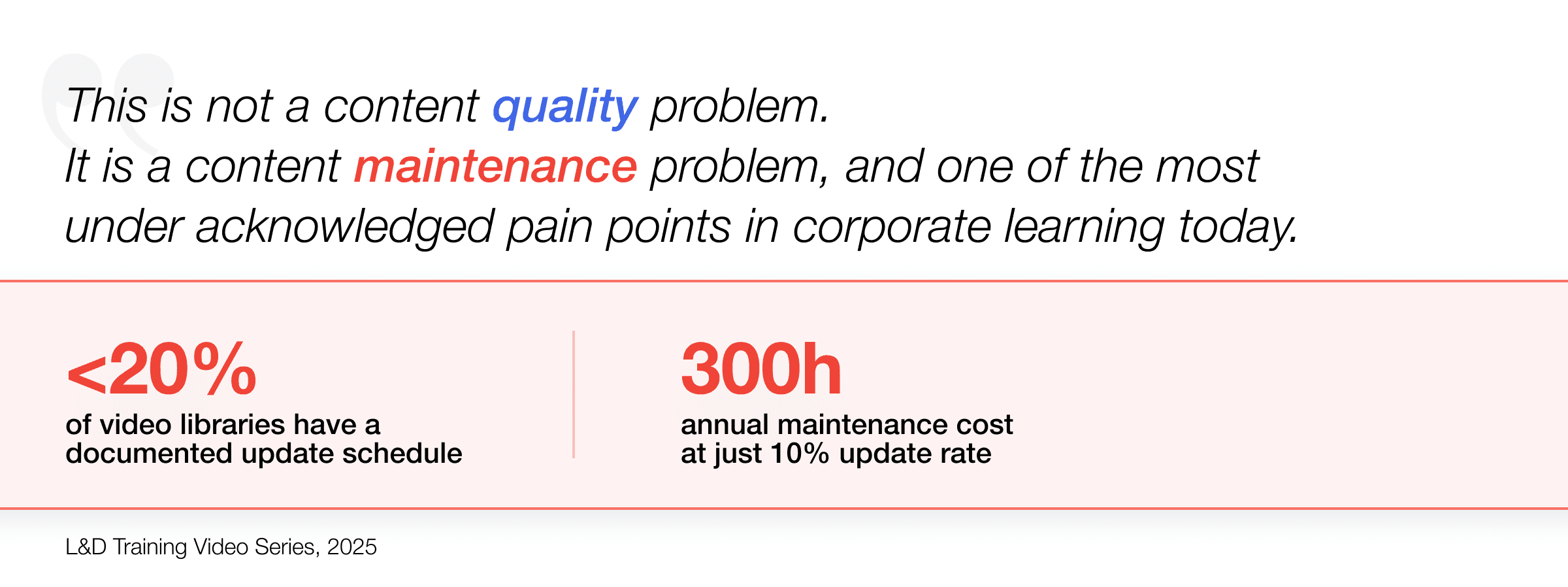
This is not a content quality problem. It is a content maintenance problem. And it is one of the most underacknowledged pain points in corporate learning today.
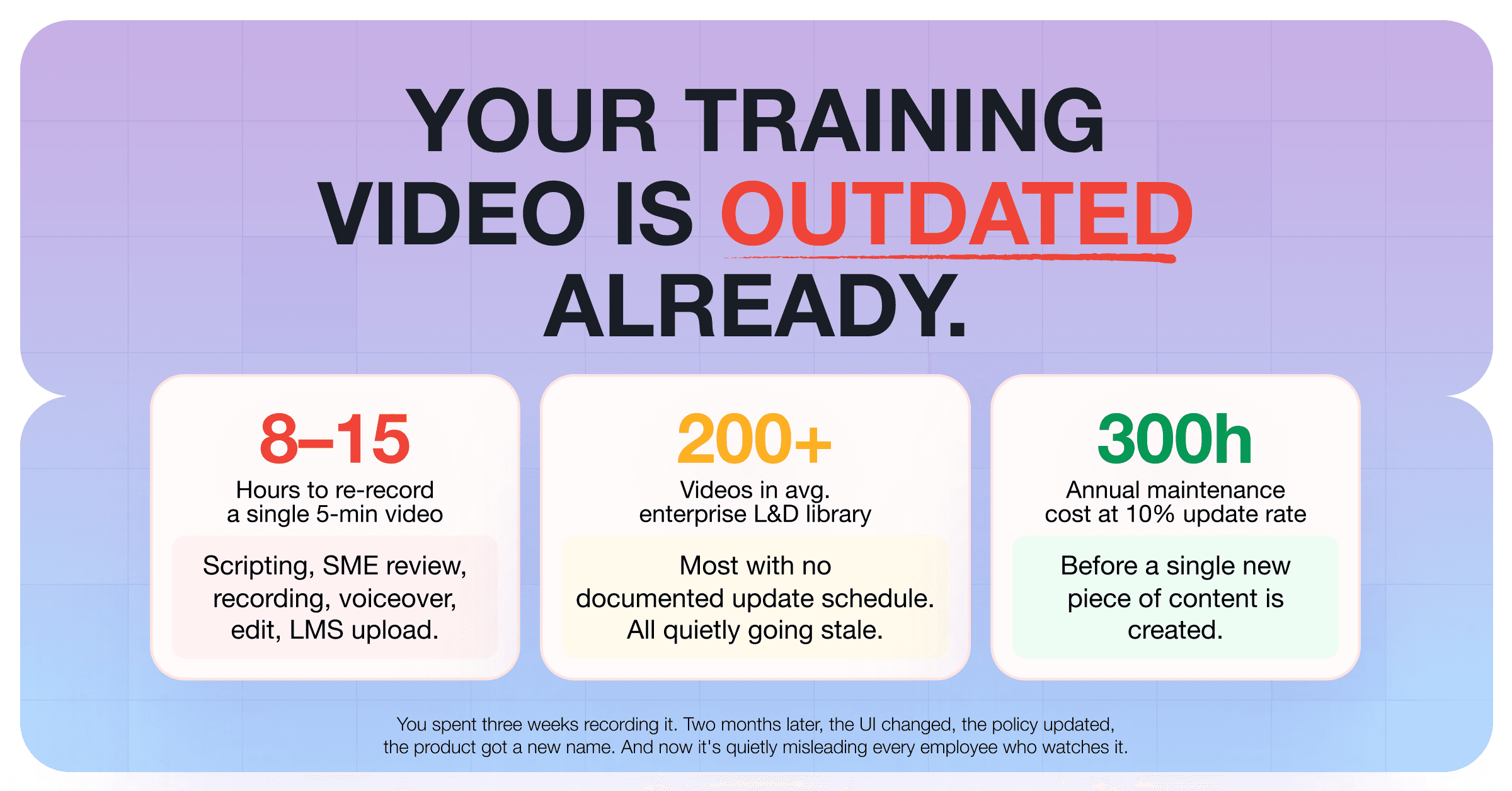
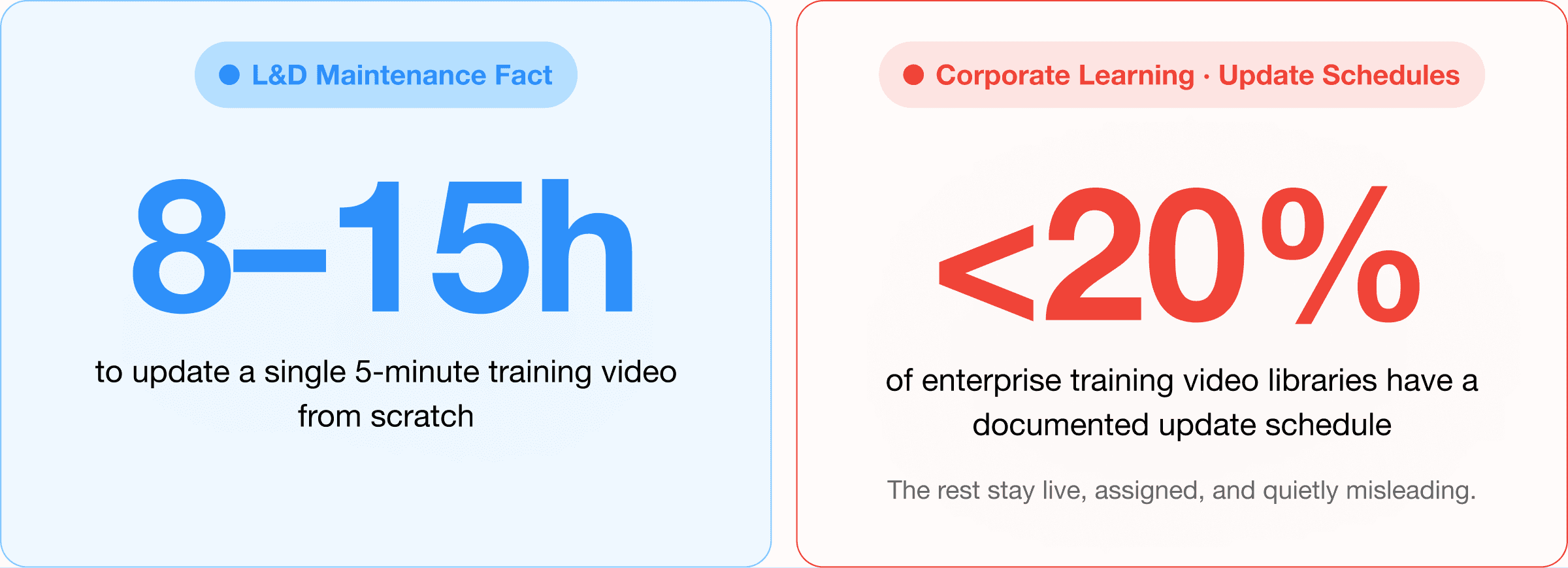
The average enterprise L&D library has hundreds of training videos. Fewer than 20% have a documented update schedule. The rest become quietly outdated, still live, still assigned, still watched.
If your team is responsible for a library of training videos, you already know this feeling. The question is: what do you do about it? How do you update training videos without re-recording them from scratch every time something changes?
This piece is about that problem and the practical frameworks and tools that modern L&D teams are using to solve it.
Why Training Videos Go Stale Faster Than You Expect
The shelf life of a training video depends almost entirely on what it shows. And most training videos show things that change constantly: software interfaces, internal processes, company policies, product features, compliance requirements, and team structures.
Consider what typically triggers an update:
A software tool your employees use gets a UI refresh the buttons moved, the menu changed, the workflow is different
A process or policy gets revised a new compliance requirement, a revised SOP, a changed approval chain
A product feature is renamed, deprecated, or replaced
The company rebrands, for example new logo, new name, new terminology
A regulation changes particularly acute in BFSI, pharma, and healthcare
Any one of these can make an otherwise excellent training video functionally incorrect. And in regulated industries, an incorrect training video is not just a quality problem, it is a liability.
The traditional response to this problem is to re-record. Which sounds reasonable until you account for what re-recording actually costs.
THE HIDDEN COST OF RE-RECORDING
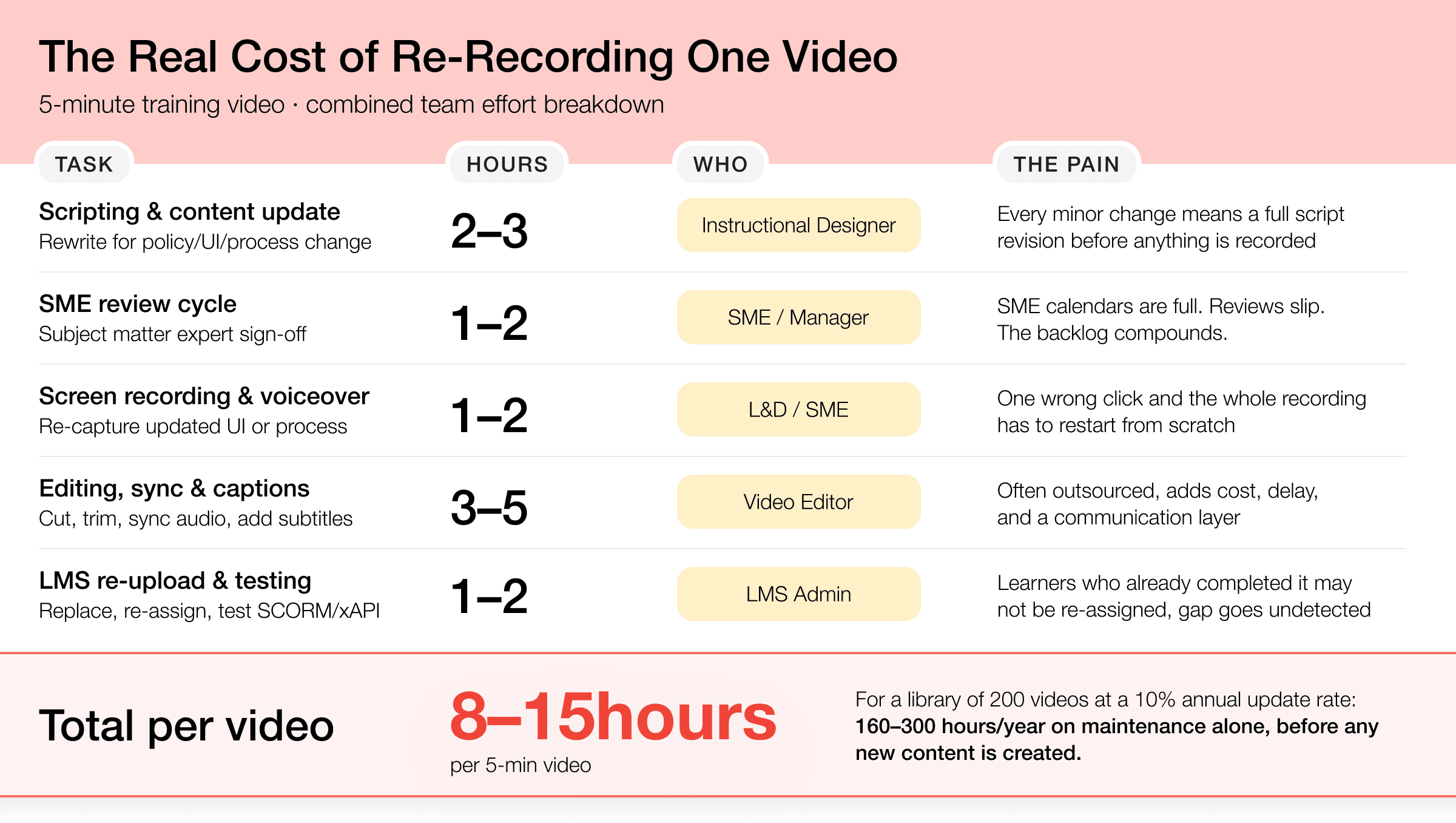
A single 5-minute training video, when you account for scripting, SME review, screen recording, voiceover, editing, and LMS re-upload, typically takes 8–15 hours of combined team effort. For a library of 200 videos, even a 10% annual update cycle means 160–300 hours per year spent just on maintenance before a single new piece of content is created.
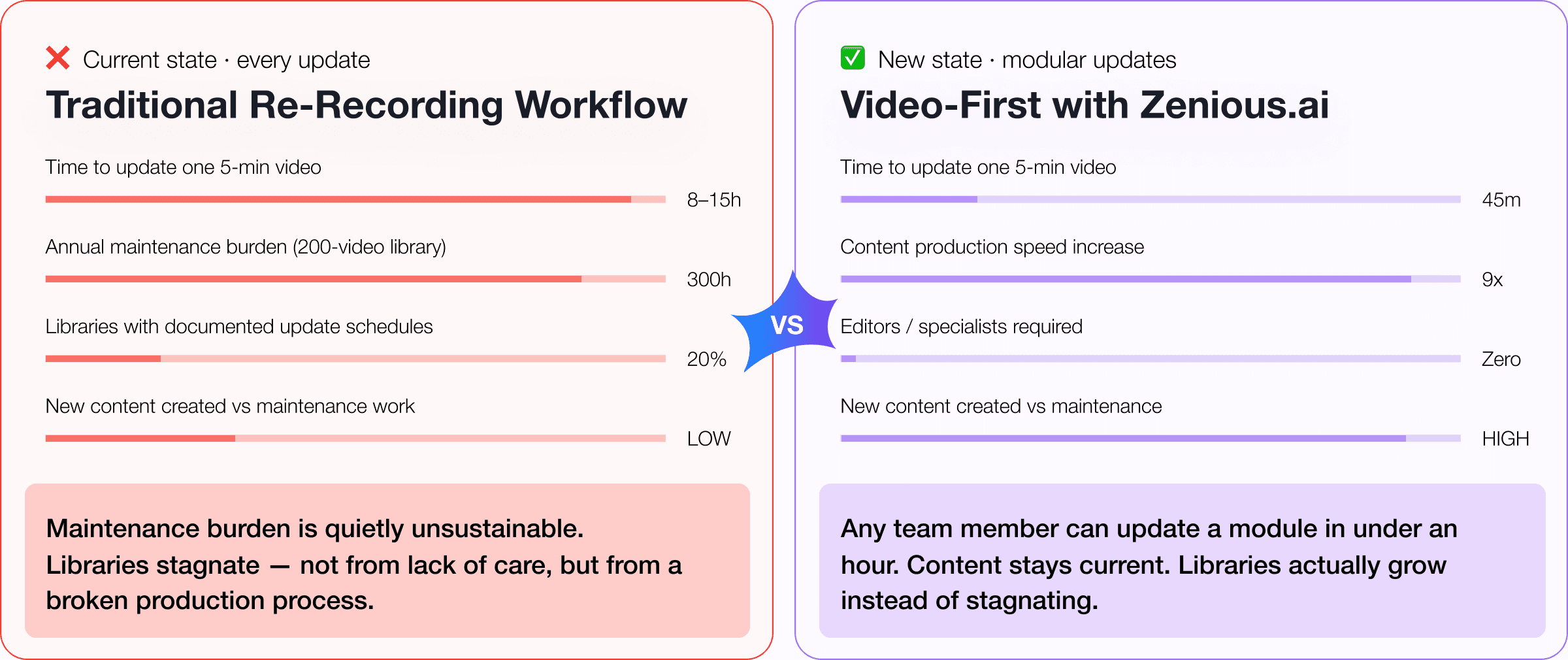
This is why content libraries stagnate. Not because L&D teams do not care about accuracy. Because the maintenance burden is quietly unsustainable.
The Maintenance Gap: Why No One Has Solved This Yet
Most learning tools are built for creation. They optimise for how fast you can go from idea to published video. What they do not optimise for is what happens six months later when something changes.
The result is a structural gap in the L&D tech stack. Teams invest heavily in creating content and almost nothing in maintaining it. There is no update queue. No staleness alert. No systematic way to identify which videos in a library of 300 are now inaccurate.
Creation gets the budget. Maintenance gets the apology.
The teams that handle this best are not the ones with the most resources. They are the ones who have made a deliberate architectural decision: they build training content to be updated, not just published.
That distinction sounds small. It changes everything about how you approach production.
How to Update Training Videos Without Re-Recording: A Practical Framework
The goal is not to never re-record. Some updates genuinely require it a complete process overhaul, a major product redesign, a new regulatory framework from scratch. But the majority of training video updates do not. They are surgical: fix this screen, update this number, change this policy name.
Here is a framework mature L&D teams are using to make those surgical updates without starting over.
1. Separate narration from visuals at the production stage
This is the most important structural decision you can make and it has to happen before you record, not after. When your voiceover script and your screen recording are baked together in a single exported file, any change to either requires re-recording both.
Build your videos so the narration layer and the visual layer are independently editable. This means keeping your source files not just the exports. It means using tools that allow you to edit the script without re-recording audio, and swap screen recordings without touching the voiceover.
AI-powered video platforms like Zenious are designed with this separation built in: when a process changes, you edit the relevant screen segment and the narration adjusts automatically without touching the rest of the video.
2. Build a version control discipline into your library
Most LMS platforms will tell you who completed a course. Very few will tell you which version of the course they completed, or flag that the version they completed is now outdated.
Mature content teams treat training videos like software: every published version gets a version number, a release date, and a review date. When an update is made, the change is logged. This is not bureaucracy it is the minimum viable audit trail for any team in a regulated industry.
Practically: create a simple content register (a spreadsheet is fine to start) that tracks each video, its last review date, its trigger conditions for update, and its current version. Review it quarterly. Assign ownership.
3. Classify your content by decay rate
Not all training content ages at the same speed. A video on the company values is unlikely to change for years. A video on how to submit an expense report in your ERP system could be obsolete within months.
Categorise your library by decay rate and build your update schedule accordingly:
High decay (review every 3–6 months): Software walkthroughs, compliance procedures, product features, pricing and policy
Medium decay (review every 6–12 months): Process documentation, onboarding flows, team structures
Low decay (review annually or at major milestones): Culture, values, foundational skills, leadership frameworks
Once you have this classification, the question of which videos to update becomes a triage exercise, not a guessing game.
4. Use AI to replace, not rebuild
The most time-consuming part of updating a training video is typically not the edit itself it is the re-recording of audio. A 30-second change in narration requires finding a quiet room, setting up the mic, recording multiple takes, and syncing the new audio to the visuals.
AI voiceover tools have made this largely unnecessary. When your video platform supports text-based script editing with AI voice synthesis, you can update a narration line in the same time it takes to type it. No re-recording. No studio. No scheduling the SME for another session.
Combined with screen replacement for the visual layer, this means a surgical update to a 10-minute training video fix two screens, update three narration lines can take under 30 minutes instead of a full production day.
What This Looks Like in Practice
A global BFSI company has 180 training videos covering regulatory compliance, system navigation, and internal processes. Every quarter, at least 15–20 of those videos need some update a policy revision, a system UI change, a new regulatory clause.
Under the traditional re-recording model: 15 videos × 10 hours average = 150 hours of production effort per quarter. Roughly one full-time employee, just on maintenance.
Under a modern, modular approach with AI voiceover editing and independent visual layers the same 15 updates take 15–30 hours. The team goes from maintenance mode to creation mode. New content gets built. The library grows instead of just treading water.
THE REFRAME
The question is not “how do we find time to update our videos?” The question is “why are we building videos that require full re-records to update?” The maintenance problem is mostly a production architecture problem in disguise.
Frequently Asked Questions
Can you update a training video without re-recording the voiceover?
Yes if your video platform supports AI voice synthesis and text-based script editing. With these tools, you edit the script as text, and the platform regenerates the narration automatically using the same AI voice. No microphone, no recording session, no audio sync work required.
How often should training videos be reviewed for accuracy?
It depends on the content type. Software walkthroughs and compliance procedures should be reviewed every 3–6 months. Process documentation every 6–12 months. Values and foundational content annually. Building a content register with review dates assigned to each video is the most practical way to manage this at scale.
What is the biggest mistake L&D teams make with training video maintenance?
Building content without keeping source files and editable layers. When you export a finished video without preserving the project file, script, and individual screen recordings separately, every future update requires starting from scratch. The fix is to treat your source files the same way a software team treats source code version-controlled, stored, and accessible.
Is there a way to know which training videos in my library are outdated?
Not automatically in most LMS platforms this is genuinely a gap in the market. The practical workaround is a manual content register reviewed on a quarterly cycle, with each video tagged to a business system, process, or policy. When that system or policy changes, the register flags which videos need review. Some AI-powered content platforms are beginning to build staleness detection into their workflows.
The L&D Teams That Win Are the Ones Who Treat Content as Infrastructure
The best training libraries are not the ones with the most content. They are the ones with the most accurate, current, accessible content. That distinction is only possible if your team has a deliberate maintenance strategy and tools that make updating faster than re-recording.
The teams that get this right stop thinking of every training video as a finished product and start thinking of it as a living document. The initial record is the first draft. The real work is keeping it true.
That shift from content as a deliverable to content as infrastructure is what separates L&D functions that scale from the ones that are perpetually behind.